Every paid plan includes all BiteTalk AI and My Kitchen tools. Recipes are included with your free account. Move up when you want more monthly AI capacity and more My Kitchen scans in a rolling 24-hour period.
Instant accessSecure Stripe checkoutCancel anytimeAll AI tools in every paid plan
Home
The full BiteTalk kitchen for a few AI-assisted meals each week.
$10/month
Or $100/year with credits refreshed monthly.
200 Kitchen Credits / monthAbout 20 complete recipe + image workflowsUp to 6 My Kitchen photo or receipt scans per 24 hours
Everything included:
Recipe creation with AI-generated images
Recipe audits and AI follow-up edits
Recipe Ideas and My Kitchen inventory tools, including receipt import
Saved generated recipes, printables, and recipe library
Maximum BiteTalk capacity for power users, frequent scanning, and bigger cooking plans.
$50/month
Or $500/year with credits refreshed monthly.
1,400 Kitchen Credits / monthAbout 140 complete recipe + image workflowsUp to 50 My Kitchen photo or receipt scans per 24 hoursMore than twice the Plus capacity for AI-powered cooking and kitchen data.
Everything in Plus, plus Max benefits:
Recipe creation with AI-generated images
Recipe audits, ideas, scans, and AI follow-ups
Saved generated recipes, printables, and recipe library
Save 10% on eligible Carico products quoted through BiteTalk, plus 10% on the eligible BiteTalk Chef Services service subtotal.
Home, Plus, and Max all include recipe creation and images, audits, Recipe Ideas, My Kitchen photo and receipt scans, AI follow-up edits, saved recipes, and the members library. Your plan controls how much AI-powered work you can do each month.
Kitchen Credits keep usage clear.
Your account shows the percentage and credits remaining, a current-cycle breakdown by tool, the next reset date, and My Kitchen scans used in the last 24 hours. Annual memberships receive a fresh monthly allowance rather than all credits at once.
Credit schedule: complete recipe + standard image 10; audit 12; idea batch 2; a My Kitchen photo or receipt scan with one member-selected image 2 plus 1 per additional member-selected image (receipt imports accept up to two images; standard kitchen-photo scans accept up to four); follow-up answer 1; recipe edit 2; web research +1. Internal receipt-processing segments do not add credits. Automatic recovery retries do not add another customer charge. Scan caps use a rolling 24-hour window. Max membership must be active and verified when a quote is created. Discounts are non-cash and non-stackable unless approved; taxes, travel, reimbursable costs, and third-party fees are excluded. See Terms.
Available now · New recipes and live cooks added regularly
New: My Kitchen
A dinner plan that starts in your kitchen.
Take a picture of your fridge or upload a recent grocery receipt, review what BiteTalk recognizes, and add only the items you confirm to a private inventory organized across your fridge, freezer, pantry, and spices. Then see three dinner ideas at a time ranked by what you can actually make—and build the best one into a complete recipe.
1. Scan or upload itPhotograph a shelf, drawer, freezer, or pantry, or upload one or two clear images of a recent shopping receipt.
2. Review itConfirm, edit, or skip every recognized item before anything is saved. You stay in control.
3. Cook from itCompare three ideas at a time, prioritize food to use soon, and create the full recipe.
Creamy Lemon Chicken OrzoUses 7 kitchen items · only 1 extra
Example idea
Recipe Studio
Turn rough ideas into recipes you can actually cook from.
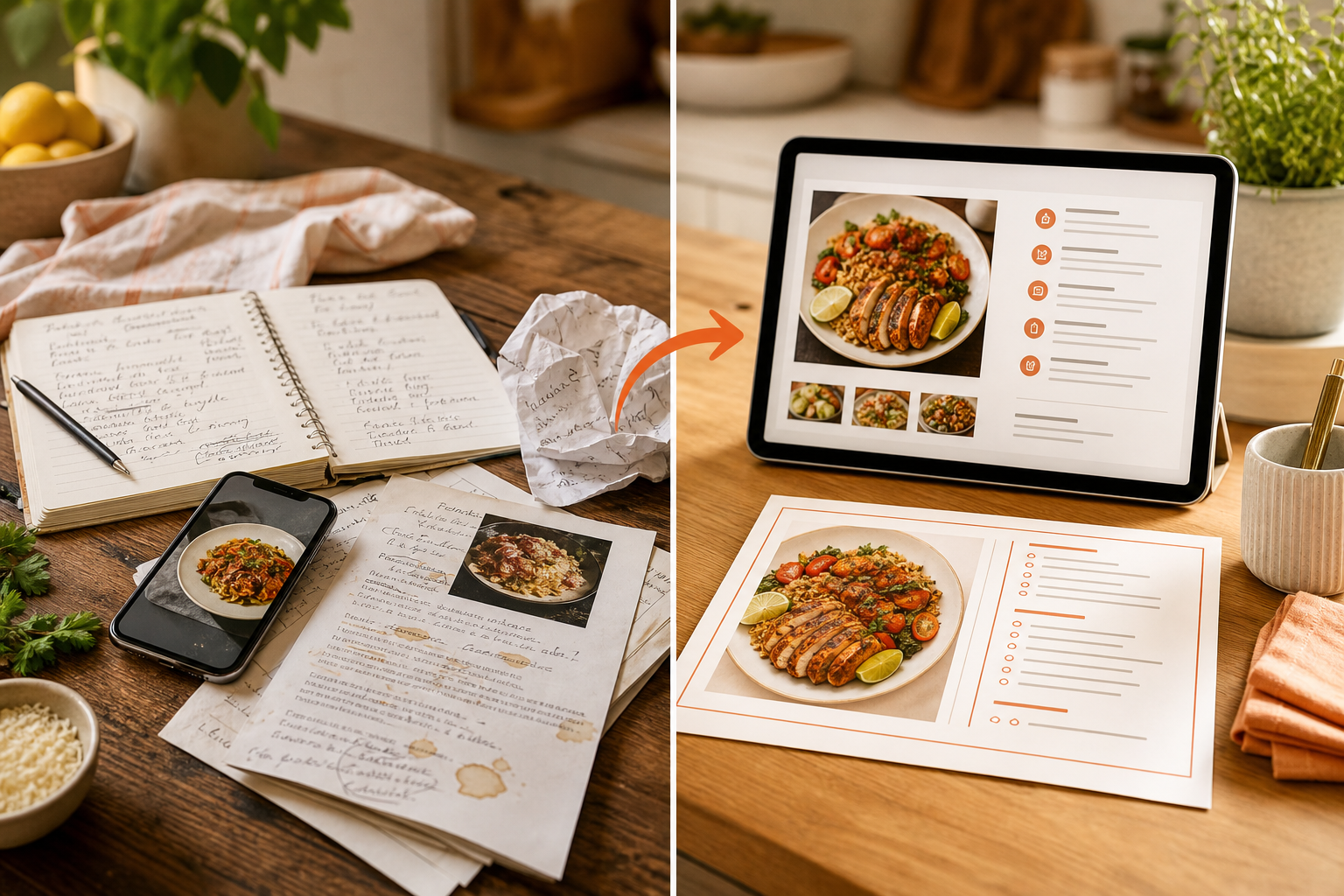
Start with generated ideas, notes, screenshots, PDFs, or a recipe that needs help. BiteTalk Members can clean it up, refine the timing, and save a version that is easier to use at the counter.
Start messyDrop in notes, substitutions, screenshots, or a recipe that needs structure.
Improve the recipeClarify steps, adjust ingredients, improve timing, and make it fit how you cook.
Save or printKeep the polished recipe in your account or print a cleaner card for the kitchen.
Start with one kitchen photo, review the items, request dinner ideas once, and create four complete recipes with images. Ask one follow-up question along the way.
One single-image kitchen scan: 2 Kitchen Credits
One set of dinner ideas: 2 Kitchen Credits
Four complete recipes with images: 40 Kitchen Credits
One follow-up answer: 1 Kitchen Credit
45 credits for this example. Four weeks like this use 180 of the Home plan's 200 monthly credits. Extra scan images, research, edits, or audits cost more; check the amount shown before you start. This is an illustration, not a promised usage pattern.
Checking the current credit schedule…
Cooking a recipe from the member library or reopening a saved recipe does not use generation credits.
FAQ
The short version
Does every plan include every AI tool?
Yes. Home, Plus, and Max include recipe creation and images, audits, ideas, My Kitchen photo and receipt scans, follow-up edits, saved recipes, and the members library. The capacity changes—not the toolset.
How do Kitchen Credits work?
A complete recipe with its standard image uses 10 credits, an audit 12, an idea batch 2, and other actions use the published schedule above. Your meter shows what remains, a tool-by-tool breakdown, and when it resets. Annual memberships still receive a fresh allowance each month.
What happens if I reach zero?
New AI actions pause until your next reset or plan change. Your saved recipes, member library, printing, and account remain available.
What happens to original $7 members?
Their original price stays grandfathered while the subscription remains continuously active. Included usage begins at Home capacity: 200 monthly Kitchen Credits and 6 My Kitchen scans per rolling 24 hours.
How do Max discounts work?
Active, verified Max members receive 10% off eligible Carico products quoted through BiteTalk and 10% off the eligible BiteTalk Chef Services service subtotal. Eligibility and exclusions apply.